AI KEYBOARD & NOTES · iOS
Talk. It types.
Then it thinks.
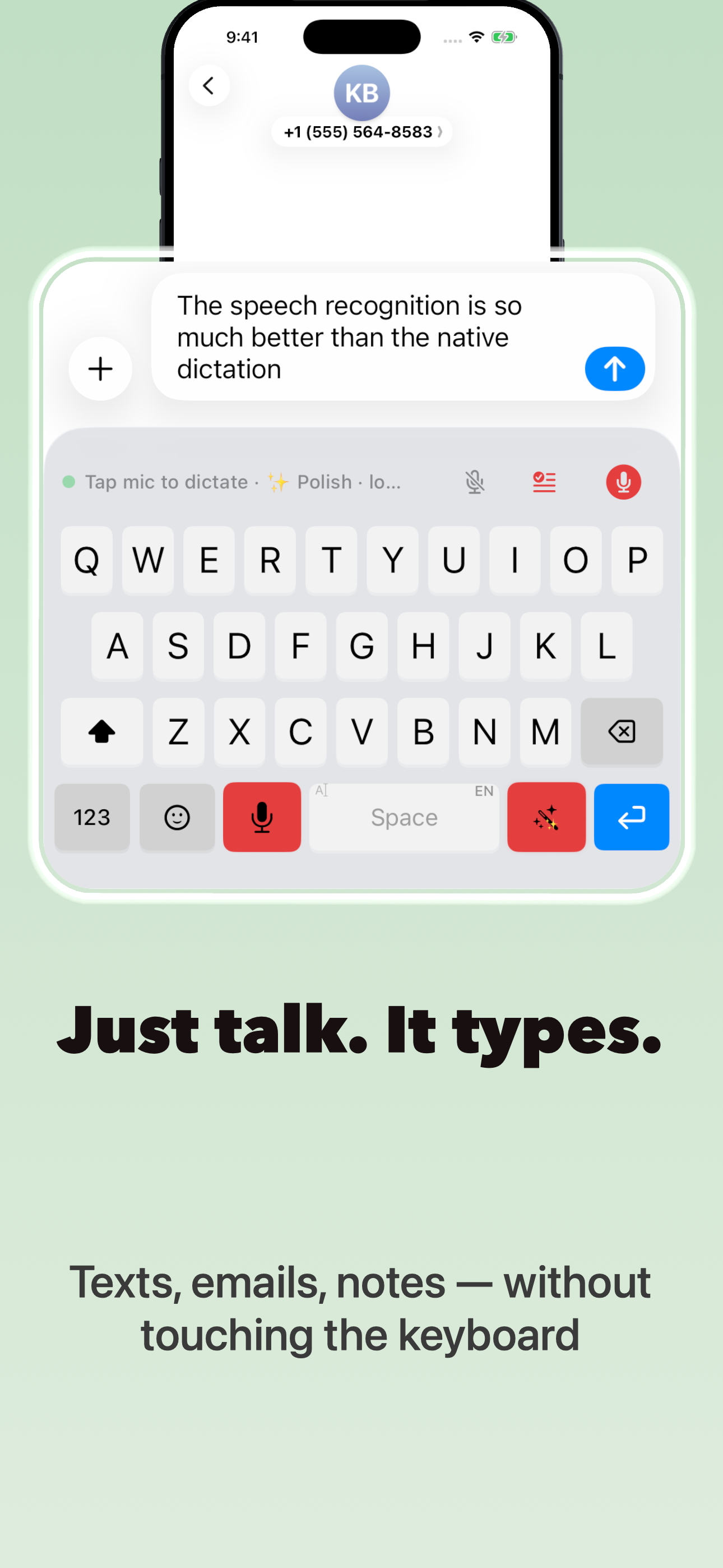
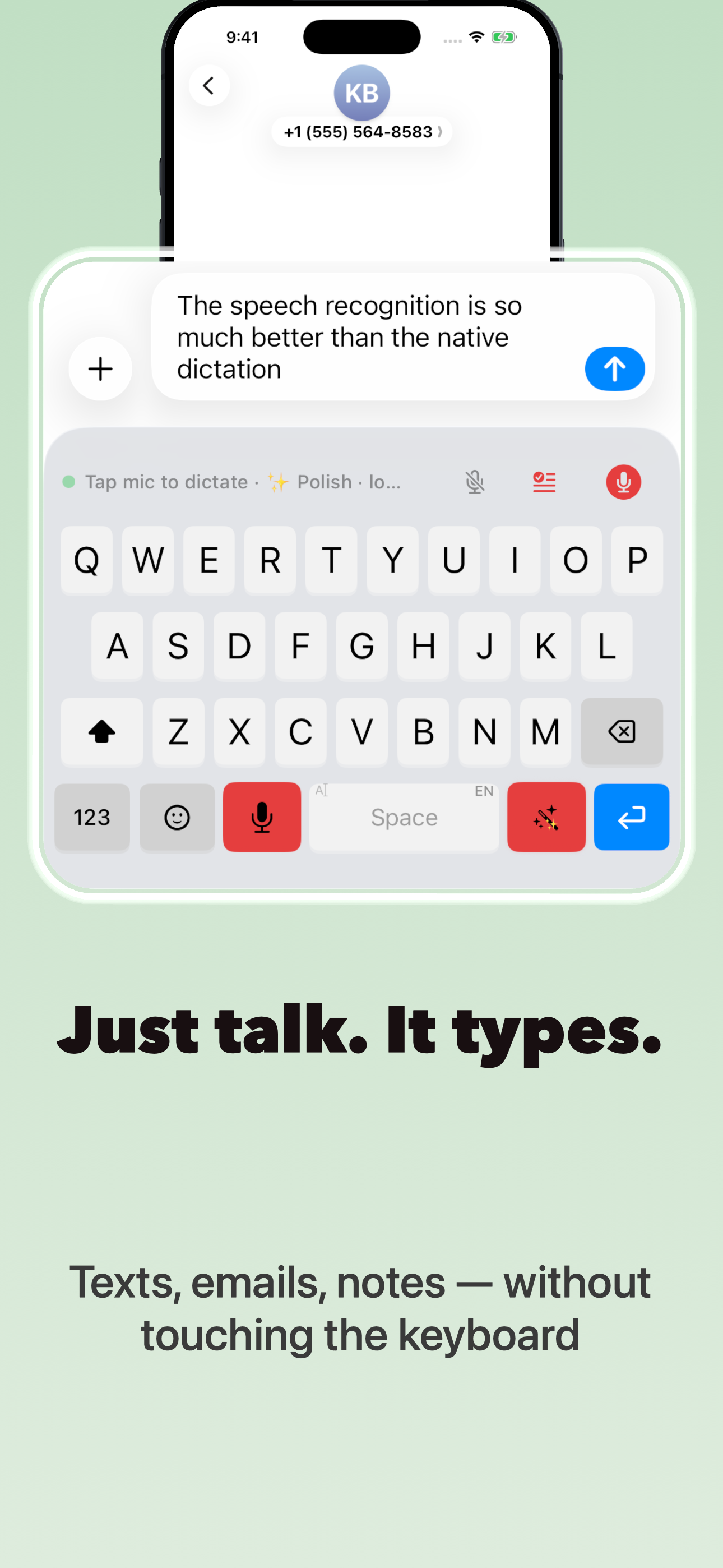
A keyboard that turns your voice into clean text, and runs AI on it without leaving the app you're in.

Free to try
iOS 26 and later
Speed
3× faster than typing
Reach
Works in every app
Languages
Dictate in 50+
Access
No account required
How it works
Three steps. Then you never type a paragraph again.
01
Add the keyboard
Enable DictaWiz once in Settings. It appears alongside your usual keyboard everywhere you type.
02
Hold and speak
Say it the way you'd say it out loud. Filler words, false starts and rambling get cleaned up on the way in.
03
Run a skill
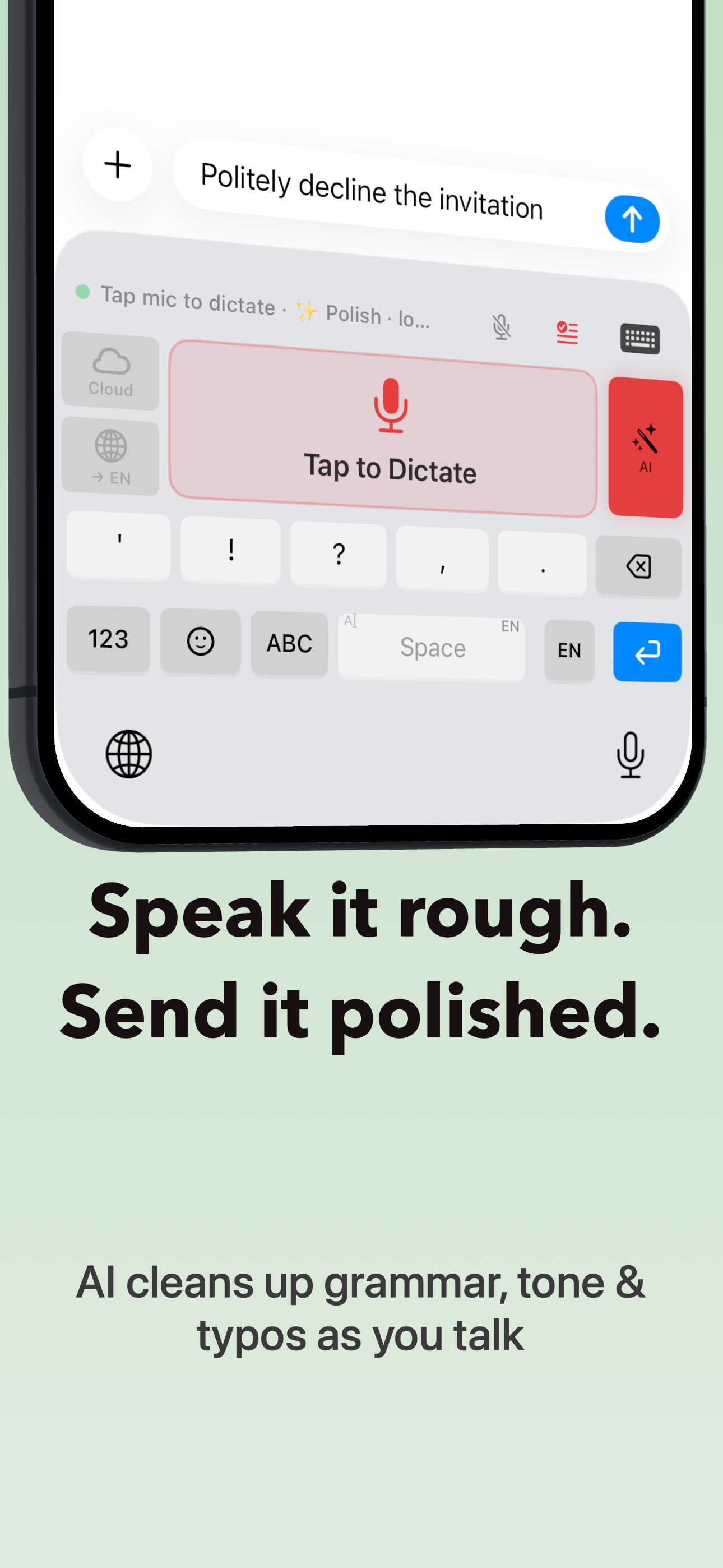
Rewrite, shorten, translate, reply, summarize, right inside the keyboard. No copy-paste, no app switching.
What you get
Everything you'd open another app for, already in the keyboard.
01
Voice to clean text
Punctuation, paragraphs and capitalization handled for you. What lands is what you meant, not a raw transcript.
02
AI skills in place
Tone shifts, rewrites, replies and translations run on the text in the field you're already in. No copy-paste.
03
Notes that write themselves
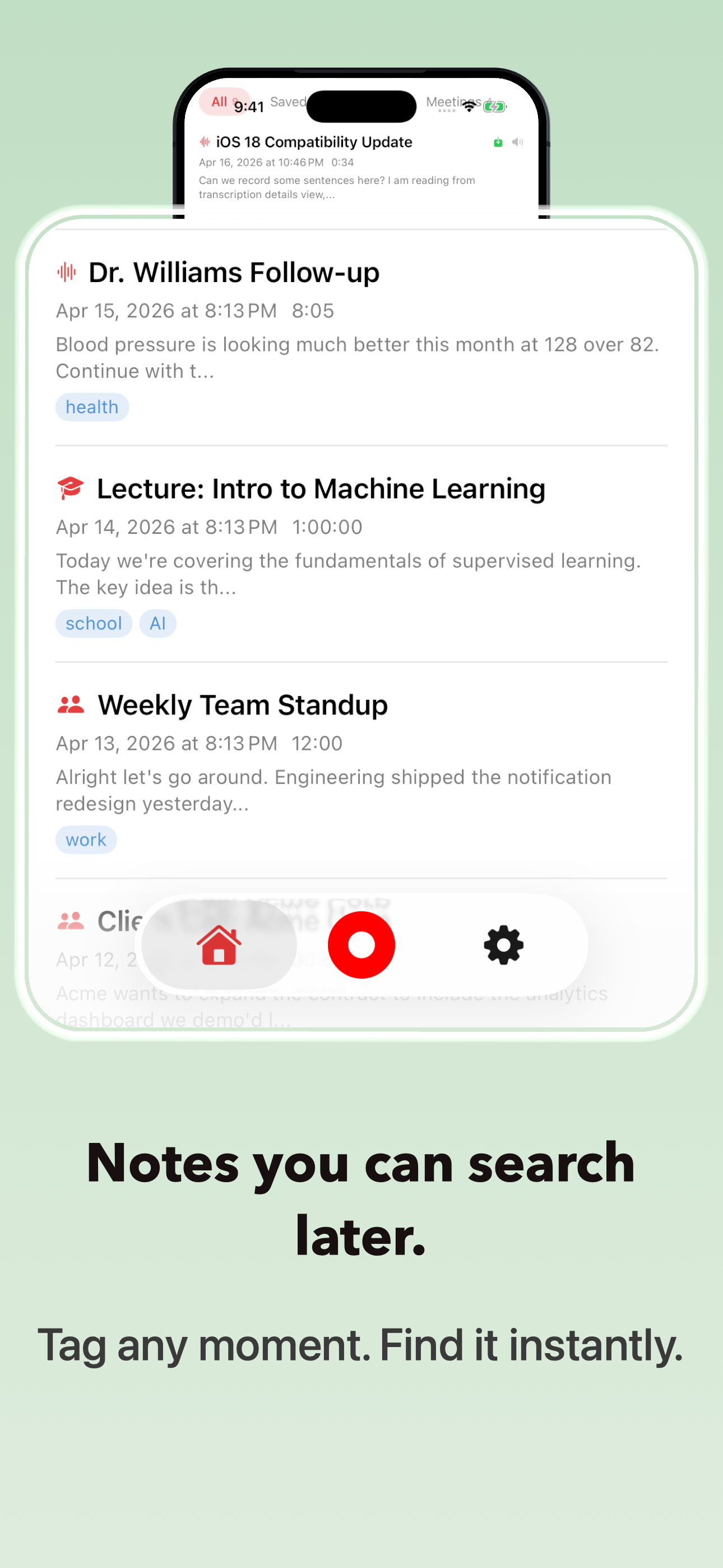
Record a meeting or lecture, play it back word for word, and get a transcript, summary, flashcards, quiz and mind map automatically.
04
Two on-device AI engines
Apple Intelligence or Gemma, your choice: a real second option, not one vendor's black box.
05
Your own shortcuts
Save the prompts you use daily as one-tap skills. Your standup update, your client reply, your format.
06
Built for one hand
Large targets, no menus buried three taps deep. Usable while walking, driving hands-free or half asleep.
07
Record from your wrist
Start a recording from the Apple Watch Action button. It's transcribed and waiting for you on your phone.
08
Nothing leaves your device
Dictation and on-device AI work with no internet connection and no account. Your notes stay on your phone unless you turn on iCloud sync yourself.
Inside the app
Five screens, no learning curve.
From the App Store
People stop typing within a day.
I answer forty messages on my commute now. I haven't opened the normal keyboard in three weeks.
Reviewer name · ★★★★★
Dictation that actually punctuates. The rewrite skill turned my rambling into something I could send my professor.
Reviewer name · ★★★★★
My hands don't cooperate on bad days. This is the first keyboard that keeps up with me on all of them.
Reviewer name · ★★★★★
Placeholder copy, swap for real App Store reviews before launch
Privacy
A keyboard should not be a surveillance device.
DictaWiz never reads or logs what you type elsewhere. Dictation and AI skills run only when you press and hold: nothing is captured in the background.
01 · Keystrokes
Never logged, never uploaded, never sold.
02 · Audio
Processed on your device by default. Sent to the cloud only if you explicitly turn on a cloud engine.
03 · Notes
Stored on your device, with iCloud sync only if you enable it.
04 · Accounts
No sign-up, no email, no ad identifiers required to use the app.
FAQ
Before you install.
Does DictaWiz need Full Access?+
Yes, iOS requires Full Access for any keyboard that uses the microphone, including DictaWiz. It's used only to power dictation and AI skills; DictaWiz never reads or logs what you type elsewhere, and you can revoke access in Settings at any time.
Which apps does it work in?+
Every app with a text field: Messages, Mail, Slack, Notion, WhatsApp, your browser. It's a system keyboard, not a walled garden.
How is this different from Apple's dictation?+
Apple's dictation transcribes. DictaWiz edits: it removes filler, fixes structure, and lets you run a rewrite, reply, or translation on the result without leaving the field.
What does it cost?+
Free to try, with a monthly allowance of premium-engine minutes and Apple's on-device dictation always available. Unlimited usage is a subscription, or pay once for lifetime access.
Does it work offline?+
Yes. Dictation and AI skills run on-device by default, with no account and no cloud upload. A connection is only needed if you turn on an optional cloud engine, or for the handful of skills that call an external service (like maps or weather).
Is there an Android version?+
Not yet. iOS first, Android is on the roadmap.
Get DictaWiz
Say the next thing you were going to type.
Free to try · iOS 26+
dictawiz.com